 Structure
Deal Room Coming later
One room for the life of a deal.
A Deal Room keeps a deal's documents, conversation and numbers together on your own computer — separate from your main chat, so Sam answers from that deal's context. This tour follows one sample listing from first documents to a reviewed summary.
Sample deal · 14 Birch Ln · invented people and figures
Screen 1 of 5 · The room
The deal, at a glance.
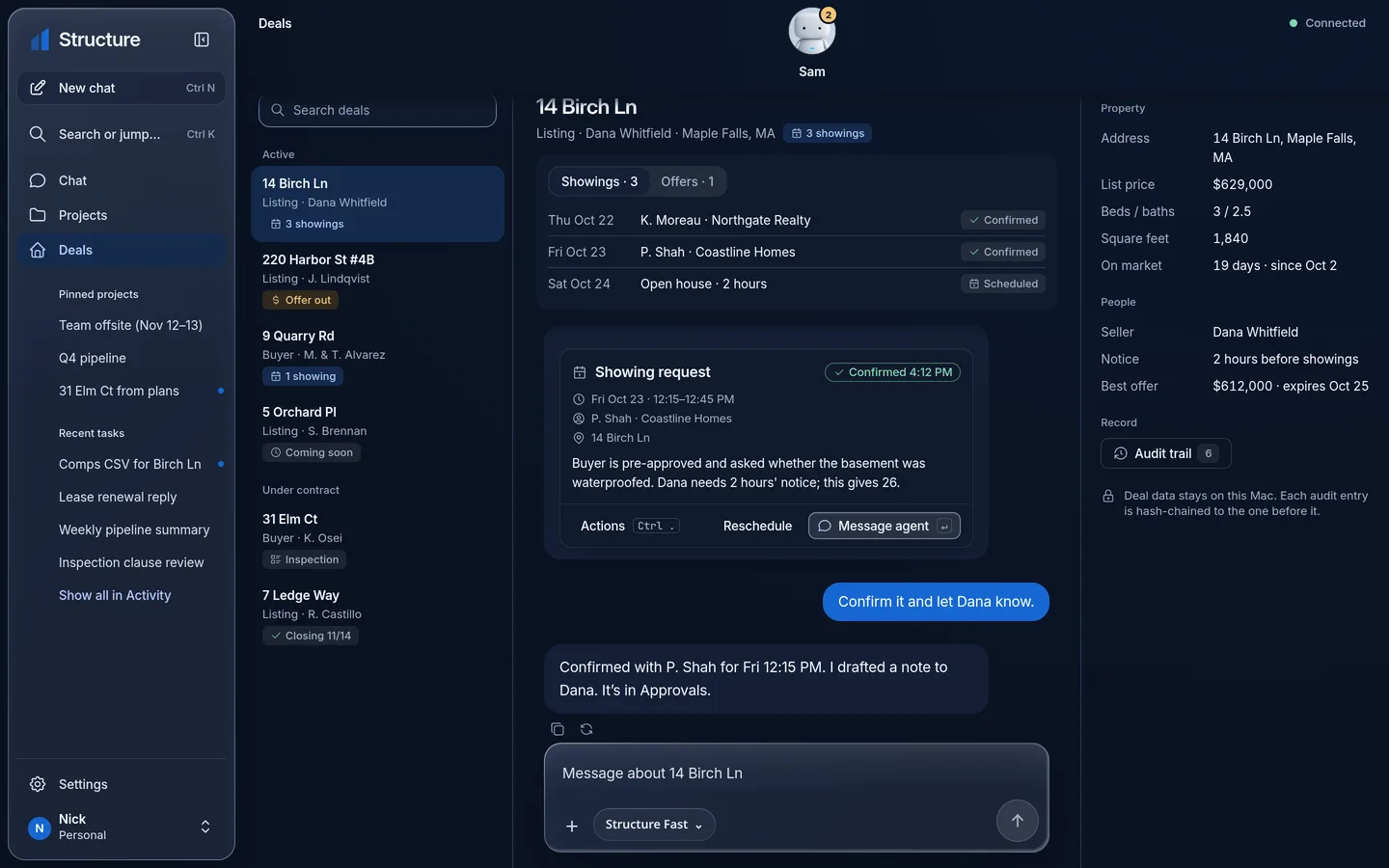
Open a deal and the room shows what it is, where it stands and what it's made of — the listing facts, the people, the stage — before you ask anything.
- One room per deal
- Facts you can check
- Lives on your computer
- Stage
- Listing
- List price
- $629,000
- On market
- 19 days
- Seller
- D. Whitfield
- Best offer
- $612,000
- Next date
- Offer review · Fri
Facts are drawn from the documents in this room (step 2). If a document changes, the room shows the newer source.
Step 1. Room overview and context. Mockup with sample data — the room's facts panel and section list.
Screen 2 of 5 · Documents
Everything the deal is made of.
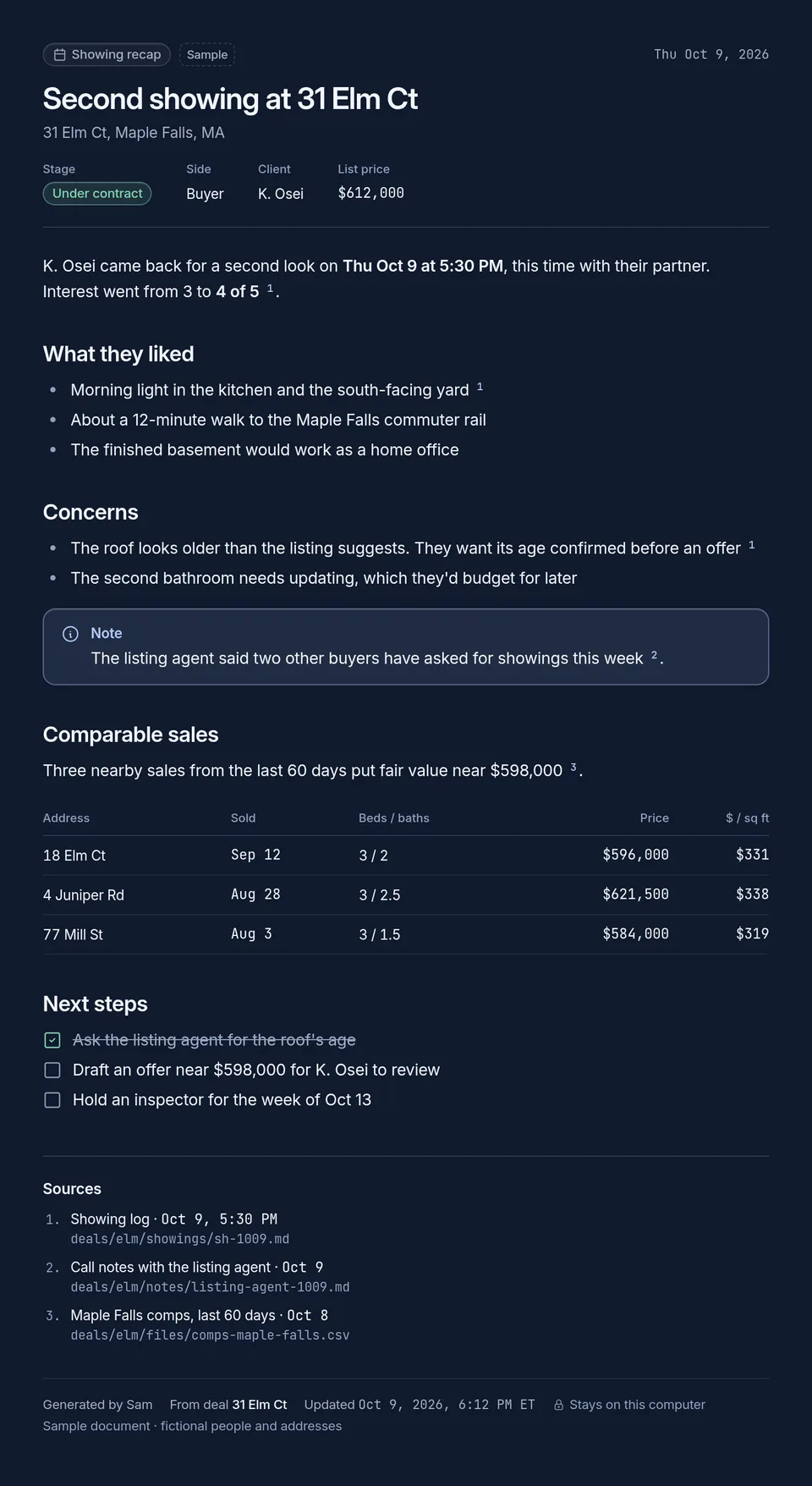
Documents stay in the room, on your computer. Sam reads from these files — not from a copy in a cloud.
Step 2. Documents and source material. Mockup with sample data; each file carries where it came from.
The room's documents are the deal's source of truth. Add the listing packet, the inspection, disclosures — whatever the deal produces — and they stay attached to this deal only.
- Every source kept
- Never mixed with others
- Originals stay intact
Screen 3 of 5 · Conversation
Ask the deal, not your memory.
The room has its own conversation, separate from your main chat. Sam answers from the documents and facts in this room — and shows which source an answer came from, so you can check it in one tap.
- Answers cite documents
- Says when it's unsure
- Drafts wait for you
What did the inspection say about the roof?
The report flags worn shingles on the north slope and estimates the roof at about 18 years old. It's listed as a moderate finding, with a $9,500 replacement estimate.Source: Inspection report · p. 4
Draft a short update for the seller covering that.
Drafted in this room — it's under Outputs for your review. Nothing has been sent.
Step 3. Deal conversation with referenced context. Mockup with sample data; the answer cites its source document.
Screen 4 of 5 · Numbers
The numbers, where you can inspect them.
| Figure | Amount |
|---|---|
| List price (revised) | $629,000 |
| Best offer in hand | $612,000 |
| Estimated closing costs | $18,900 |
| Estimated seller net at best offer | $593,100 |
Figures are sample arithmetic for this tour. In a real room, every figure traces to a sheet you can open and edit — assumptions stay visible.
Step 4. Numbers and project artifacts. Mockup with invented figures; a real room's numbers live in inspectable sheets.
A deal's numbers sit beside its documents: the sheet behind a figure is one tap away, formulas stay live, and an assumption you change updates the summary.
- Compares scenarios
- Not financial advice
- Exports what you approved
Screen 5 of 5 · Output
A result you review before it goes anywhere.
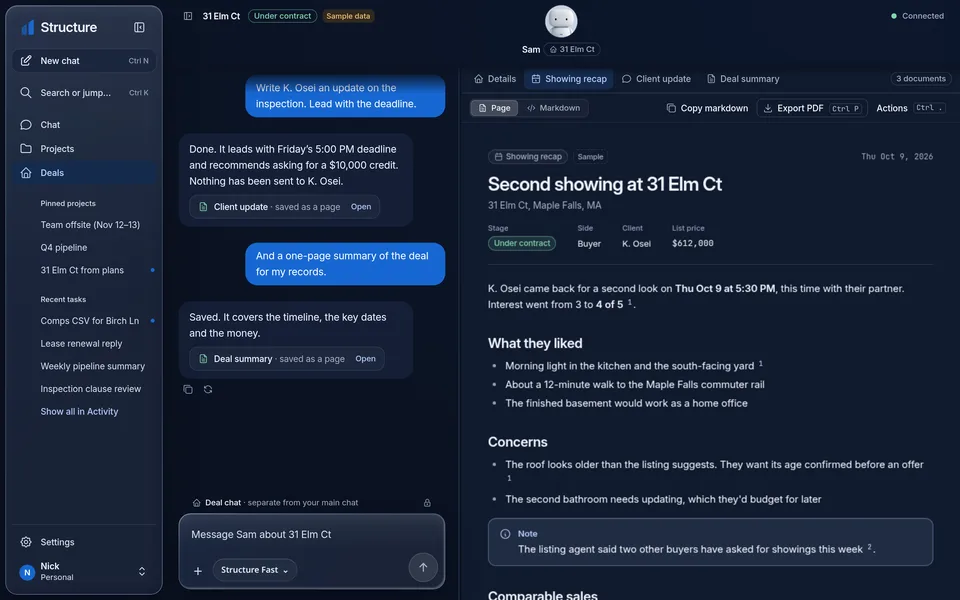
Work in the room ends as something concrete: a recap, an update, a summary page. Sam prepares it; it waits here for your review.
- Approving isn't sending
- Sends follow your approvals
- Keeps a record
Seller update — drafted by Sam
“Dana — a quick update from Monday's inspection. The headline item is the roof: worn shingles on the north slope, roughly 18 years old, with a $9,500 replacement estimate in the report (p. 4). Nothing structural. Full recap attached as a page from the room.”
Status: drafted in this room · not sent · source: Inspection report, p. 4
Step 5. Output, review and export. Mockup with sample data — the approval shown is for exporting a draft, not sending it.
Straight answers
What a Deal Room is — and isn't.
It's a workspace, not a feed
A Deal Room works from the documents and facts you put in it. It isn't connected to a listing service, and it doesn't pull live market data.
It's not your CRM
The room holds one deal's context. It doesn't manage your pipeline, your contacts book or your calendar — and this page shouldn't be read as if it did.
Sending stays a decision
Sam drafts inside the room. Anything that goes to another person follows your permissions and approvals — the room never sends on its own.
Deal Rooms are coming later.
Structure Personal comes first: free, and coming soon. Join the waitlist and we'll email you when Personal, and later Deal Rooms, are ready.